Convert Form 26AS to Excel: Check This First

By Tapabrata Biswas · Updated August 29, 2026 · 14 min read
Written and fact-checked by Tapabrata Biswas. How I write

Before converting anything, open the TRACES download screen and look at the format list. Excel is on it.
The official e-tutorial says so in one line: Form 26AS "is available for download in three formats: a) PDF b) Text c) Excel". Most people asking how to convert the text file into Excel are solving a problem they do not have, because the file they wanted was one option further down the same menu.
Do you actually need to convert anything?
Form 26AS downloads as an Excel file already, and the text route exists for one specific case: a statement too large to serve any other way.
The TRACES tutorial puts a number on it. If a file holds "transaction entries more than 1000", the system warns you and the statement has to be requested from TRACES as a text file, which then needs converting. Below that, the Excel download is right there.
That threshold matters because a lot of what ranks for this question is out of date. Published guides still describe Form 26AS as available in two formats, and still put the cutoff at 2,000 transactions. Both figures come from an older version of the same government deck, and both are still being copied. One converter's own step-by-step tells readers to choose between PDF, HTML and text, leaving Excel off the list entirely, which is convenient for a page that exists to sell you a conversion.
So the first step is not a step. It is a check. Count your entries, look at the format menu, and if Excel is offered, take it.
What is actually inside the text file?
The file is not a table. It is two different kinds of row stacked together, separated by the caret character.
That structure is why the conversion trips people up, and no page we read explains it.
The first few lines carry header information. File creation date, your PAN, its status, the financial year, the assessment year, your name and your address. Below that, the body alternates between two shapes.
A deductor summary row appears once for each employer or bank, and carries their name and TAN. Then, underneath it, a run of transaction rows carrying the section, transaction date, booking status, date of booking, amount paid or credited, tax deducted and tax deposited.
The transaction rows do not repeat the deductor's name. They do not carry it at all.
The converter below does that join for you, in your browser. Load the text file and it returns an Excel workbook with one sheet per part of the statement, PART-I through PART-X, and every transaction row carrying the deductor that paid it.
Form 26AS text to Excel
Pick the .txt file from TRACES. It is read in your browser and never leaves this page: there is no upload and no server involved. You get back a workbook with one sheet per part of the statement.
We rebuilt it on 28 August 2026 against a real current statement rather than the older sample it was first written from, and three things changed. It now writes a real .xlsx instead of a single CSV, because Form 26AS is ten tables with ten different column sets and flattening them into one sheet is precisely what makes a manual conversion unusable. It keeps each deductor's yearly total as its own row, marked as such, so you can see the figure the department is asserting next to the payments that make it up. And the tool no longer claims a PDF is unreadable, because that was wrong. The TRACES PDF carries real text. The text file is simply the better source, and it is the one that includes PART-X.
Why is splitting on the caret not enough?
Text to Columns will split the file correctly and still leave you with something you cannot use.
The mechanical part is easy enough. Open the text file, select everything, paste it into a blank worksheet, then Data, then Text to Columns, then Delimited, then tick Other and type a caret. Excel divides the rows into columns.
Every published guide stops there. The official deck's final slide is captioned only as a sample of the statement in Excel format, and the articles copying it end at "click Finish".
What you are left with is a sheet where one row says Acme Industries Private Limited and MUMA12345B, and the six rows beneath it say things like 192, 30-06-2025, F, 15-07-2025, 250000, 12500, 12500, with no indication of who paid any of it.
Sort that sheet and the employers detach from their transactions. Pivot it and there is nothing to pivot by. Try to reconcile it against your Form 16 and you cannot match a single entry to an employer. Which is the problem, because reconciling against Form 16 is the main reason anyone wants this in a spreadsheet.
What is the step that makes it usable?
Fill the deductor name and TAN down into the blank rows beneath each summary row. That is the whole fix, and it takes one formula.
Say the split puts the deductor name in column B and the transaction rows leave that column empty. In a new column, on the first data row, put a formula that carries the value down. If column B has something in it, use that, otherwise use whatever the cell above resolved to. Copy it down the sheet, then paste the result back as values. Do the same for the TAN.
Every transaction row now carries its employer. The sheet sorts, pivots and filters, and a SUMIF by deductor finally returns something meaningful.
The open-source parsers that handle this file do exactly the same thing internally. They hold the current deductor's name in a variable, watch for the next summary row, and attach the held value to every transaction line in between. The formula above is that logic, done in a spreadsheet.
Are free online Form 26AS converters safe?
Treat them as unsafe unless you can verify otherwise, and be aware that the free ones are the ones taking your data while the paid ones generally are not.
Consider what is in the file. Your PAN. Your name and address. Every employer and bank that deducted tax from you, by TAN. What each of them paid you. What each of them deducted. It is one of the most complete financial pictures of you that exists in a single document.
On 26 August 2026 we read the published code behind one free converter that advertises itself, in its own page description, as a "Free, secure, and browser-based tool". Browser-based would mean the file never leaves your machine. Its code does something else: it reads your file, takes the base64 payload, and posts it to the operator's own server for processing. The parsing does not happen in your browser at all, which you can tell because the caret delimiter the file uses appears nowhere in the page's code. There is a second transmission too. To get the download, you supply a name, company, email and phone number, and the file is sent again alongside those details, tagged with where the lead came from.
We are naming the behaviour rather than the vendor here, because the point is the pattern and not one company. The pattern is easy to check yourself. If a converter is genuinely browser-based, it works with your network disconnected. If it does not, it was never browser-based.
Another operator uploads the file, processes it server-side and emails the finished spreadsheet to you. Its entire privacy claim is that the output is "securely delivered". A third publishes a Security heading for a converter whose page has no file upload on it at all.
The inversion is the useful part. The two options that cost money or require a download, the paid Excel utility and the free macro workbook, both run on your own computer and transmit nothing. They are private by architecture. Neither of them advertises this, because neither seems to have noticed it is the strongest thing about them.
The converter above this section is built to that standard. It reads your file in your browser, does the forward-fill, and hands back a CSV. It makes no network calls at all, which you can verify by disconnecting your internet and using it anyway. We have no tool to sell and no leads to capture, which is the only reason we can afford to build it that way.
What happens to Form 26AS from Tax Year 2026-27?
From Tax Year 2026-27 this statement is Form No. 168, and Form 26AS and the Annual Information Statement stop being two separate things. The Central Board of Direct Taxes heads its own guidance document Form No. 168 (Earlier Form No. 26AS) and opens it with a mapping table:
| Old | New | |
|---|---|---|
| Form as per I.T. Rules | 26AS (AIS) (1962) | 168 (2026) |
| Section of I.T. Act | 285BB (1961) | 510 (2025) |
| Rule of I.T. Rules | 114-I (1962) | 245 (2026) |
Note what CBDT itself puts in the old column. Not 26AS, but "26AS (AIS)", on one line. The two documents people have spent years reconciling against each other are one statement from Tax Year 2026-27.
None of this changes the file you are working with for FY 2025-26. That return is filed for AY 2026-27 under the 1961 Act, so the statement is still Form 26AS and the steps above still describe it.
One honest gap, which is worth stating plainly. That FAQ runs to twelve questions and never mentions a download format. It describes reaching the statement through the AIS dashboard on the e-filing portal, covers what Part A and Part B contain, explains the feedback route for wrong entries, and says nothing anywhere about a text file, an Excel file or a password. So whether the caret-delimited text export survives into Form 168 is not a question CBDT has answered, and we are not going to guess at it.
There is one thing in that FAQ worth knowing before you convert anything. It describes a second view called the Taxpayer Information Summary, on the same dashboard, which carries category-wise totals: total salary income, total rental income, total interest income, total dividend income, total capital gains, total business income and total taxes paid. If the reason you wanted a spreadsheet was to add your interest income up, the department has already added it up. CBDT's own framing is that the AIS is the detailed data source, the TIS is the summarised reference, and the return is the final declaration. It also states plainly that all actual income must be reported even when it is missing from the AIS, so neither view is a substitute for your own records.
What this post deliberately does not cover
It does not walk through downloading Form 26AS or explain what the form contains, which our post on the Form 26AS password and what the form shows covers in full.
It does not cover the Annual Information Statement, a separate and broader statement with its own download and its own password rule. That is in our AIS post.
It does not recommend or review any specific converter, paid or free.
It does not cover reconciling your Form 26AS against your Form 16 or your return, which is where a chartered accountant earns their fee. Getting the data into a spreadsheet is a formatting job. Deciding what a mismatch means is not, and our post on how TDS works explains why mismatches happen in the first place.
A tax statement that does not agree with your records is a conversation for a chartered accountant, not a spreadsheet problem.
Frequently asked questions
Is Form 26AS being replaced by Form 168?
Yes, from Tax Year 2026-27, and the AIS is folded into it. CBDT's own FAQ document is headed Form No. 168 (Earlier Form No. 26AS) and opens with a mapping table: the form called 26AS (AIS) under the Income-tax Rules 1962 becomes Form 168 under the Rules 2026, Section 285BB of the 1961 Act becomes Section 510 of the 2025 Act, and Rule 114-I becomes Rule 245. For the return covering FY 2025-26 you are still working with Form 26AS, so the steps on this page apply to the file TRACES gives you today. What that FAQ does not say is anything at all about download formats. It describes reaching the statement through the AIS dashboard on the e-filing portal and never mentions a text file or a password, so whether the caret-delimited text export survives the renumbering is not something we can answer from it yet.
Do I even need to convert Form 26AS to Excel?
Probably not. The TRACES e-tutorial states that Form 26AS is available for download in three formats, PDF, text and Excel, so the Excel file is usually a direct download and no conversion is involved. The text route exists for large statements. The same document says that if a file holds more than 1,000 transaction entries, the system warns you and the statement has to be requested from TRACES as a text file. Below that, download the Excel version and skip the whole exercise. A lot of published guidance still describes only two formats and puts the threshold at 2,000, which reflects an older version of the same tutorial.
How do I convert the Form 26AS text file to Excel?
Open the text file, select all of it and paste it into a blank worksheet, then use Data followed by Text to Columns, choose Delimited, tick Other, and enter the caret character. Excel then splits the rows into columns. That is where every published guide stops, and it is not where the job ends. The result is not yet a usable table. The deductor name and TAN sit on separate summary rows from the transactions beneath them, so the transaction rows arrive with no employer attached.
Why does my converted Form 26AS look wrong in Excel?
Because the file is not a flat table. It interleaves two different kinds of row, and a deductor's name and TAN appear once on a summary row, and the transaction rows underneath carry the section, dates, amount paid and tax deducted but not the employer. After splitting on the caret you get a ragged sheet where a transaction cannot tell you who paid it, which is why sorting, pivoting and matching against Form 16 all fail. Filling the deductor name and TAN down into the blank rows is the step that fixes it.
Is it safe to use a free online Form 26AS converter?
Treat it as unsafe unless you can verify otherwise. A Form 26AS contains your PAN, your address, your employers' TANs, what they paid you and what tax they deducted. On 26 August 2026 we read the published code behind one free converter that describes itself as browser-based: it reads your file, base64-encodes it and posts it to the operator's own server, and it posts it a second time bundled with the name, company, email and phone it asks for before the download. The safest route is the one that never transmits anything, which means converting it yourself in Excel or using a utility that runs on your own machine.
What is the password for the Form 26AS text file?
Your date of birth in DDMMYYYY format, as recorded on your PAN, with no slashes. The same password opens the PDF, the text file and the Excel file. The widely repeated rule of PAN followed by date of birth belongs to a different row of the official password table, the one for e-mailed intimations, which is why it keeps failing on Form 26AS.
Sources
- Central Board of Direct Taxes, Form No. 168 (Earlier Form No. 26AS) Frequently Asked Questions, for the 26AS(AIS)-to-168, 285BB-to-510 and Rule 114-I-to-245 mapping, the AIS and TIS split, and the feedback route: incometaxindia.gov.in
The official tutorial was read directly from the TRACES server on 26 August 2026, and the converter behaviour described above was read from the operator's own published code on the same day.
- TRACES taxpayer e-tutorials, and within them the tutorial titled Procedure of Converting Form 26AS/Annual Tax Statement Text File to Excel File, for the three download formats, the 1,000-entry threshold, the caret delimiter and the Text to Columns steps
- Income Tax Department e-filing portal, the route through which Form 26AS is reached before redirection to TRACES
- The Income-tax Rules, 2026, G.S.R. 198(E), Gazette of India, rule 245, under which the annual statement becomes Form No. 168 from Tax Year 2026-27
The file structure described here, the deductor summary rows and the transaction rows beneath them, was confirmed against an open-source parser that handles the format, whose logic holds the current deductor in a variable and attaches it to each transaction line.
This is general educational information about a file format and a spreadsheet operation, not tax advice.



You might also like
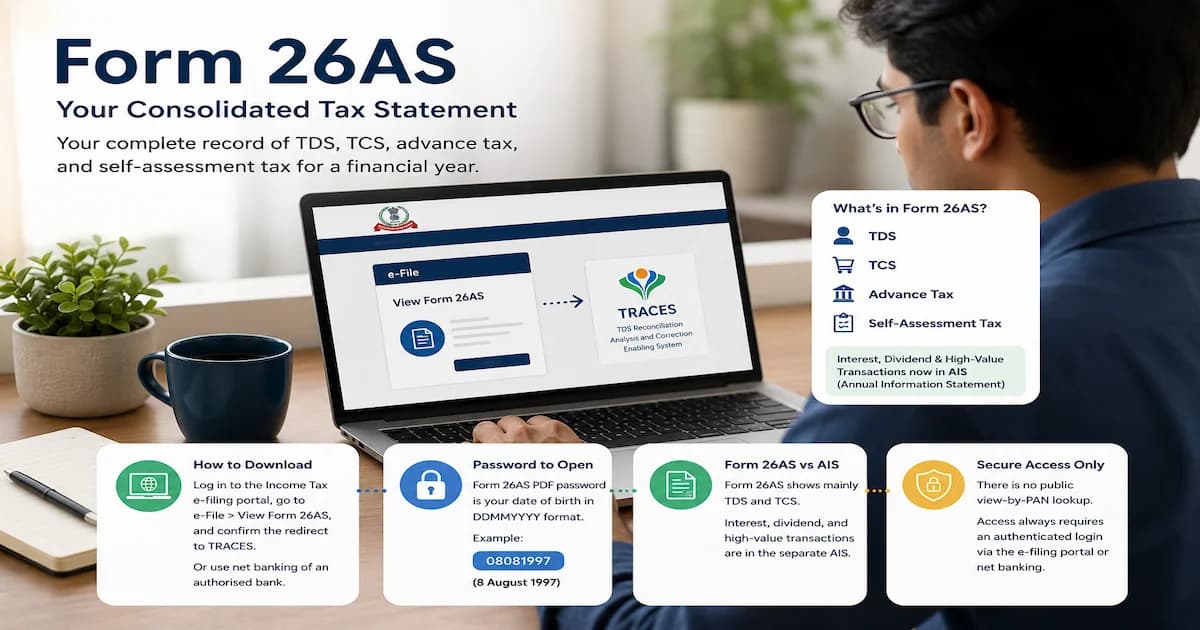
The Form 26AS password is your date of birth as DDMMYYYY, the same for PDF, text and Excel. PAN plus date of birth is a different form entirely.
18 min read

The AIS PDF password is your PAN in lowercase plus date of birth as DDMMYYYY. Form 26AS uses a different rule, and both merge into Form 168.
19 min read
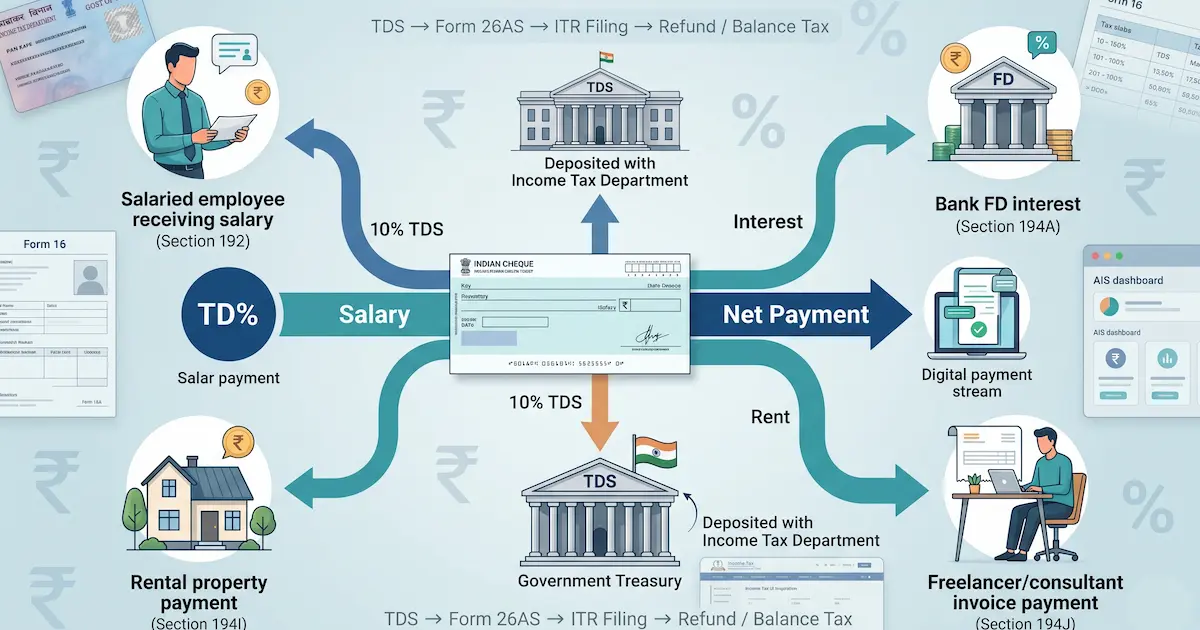
TDS is tax withheld from your salary, interest, and rent. The FY 2025-26 section rates and thresholds, what Budget 2025 changed, and how TDS differs from TCS.
15 min read